
Video on Demand {}


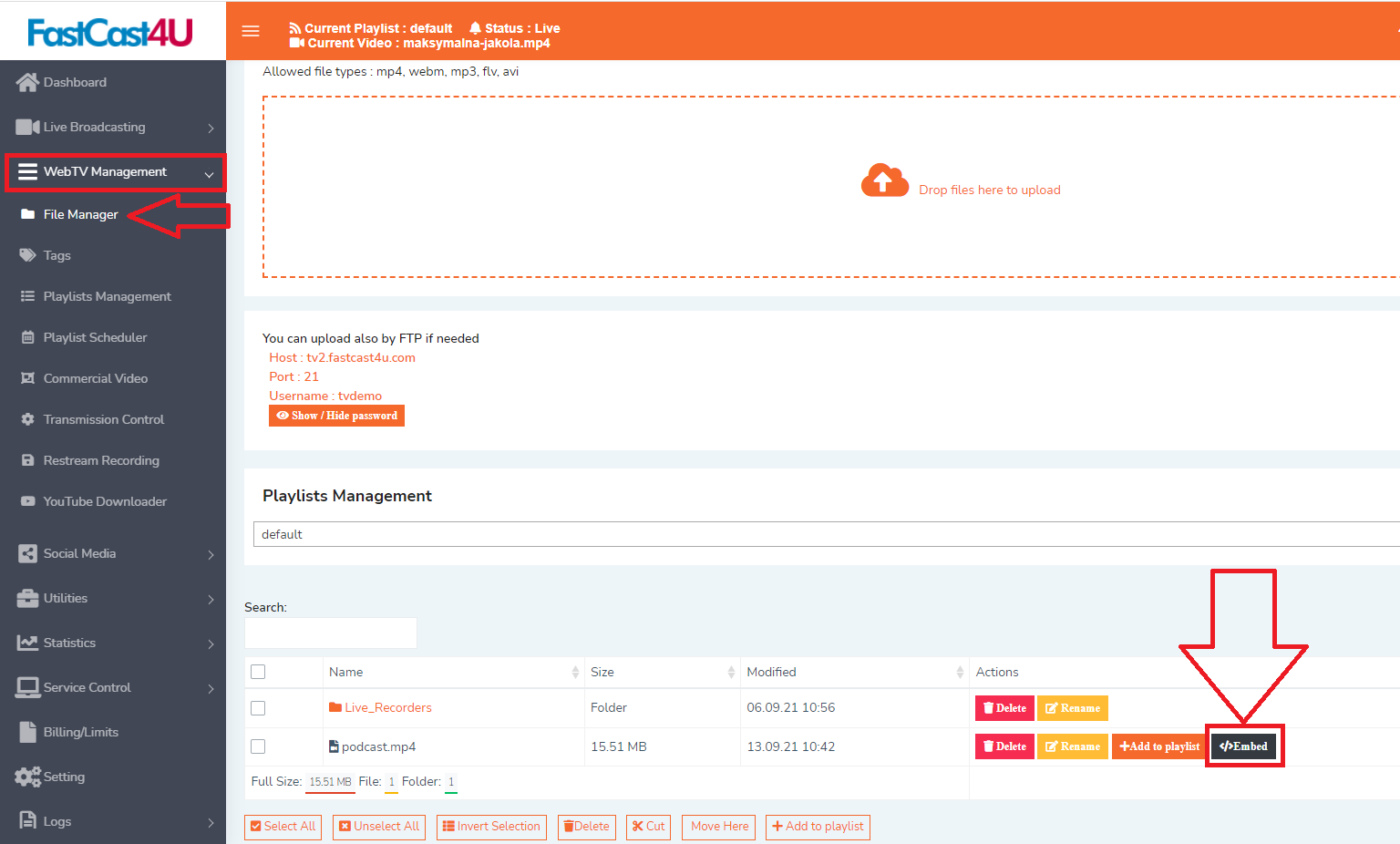
To get Video or demand links or embed code navigate to WebTV Management (must be allowed on your server Package) and File Manage. All files upload to your server have the Embed button.

1. Select Embed option
embed1.png

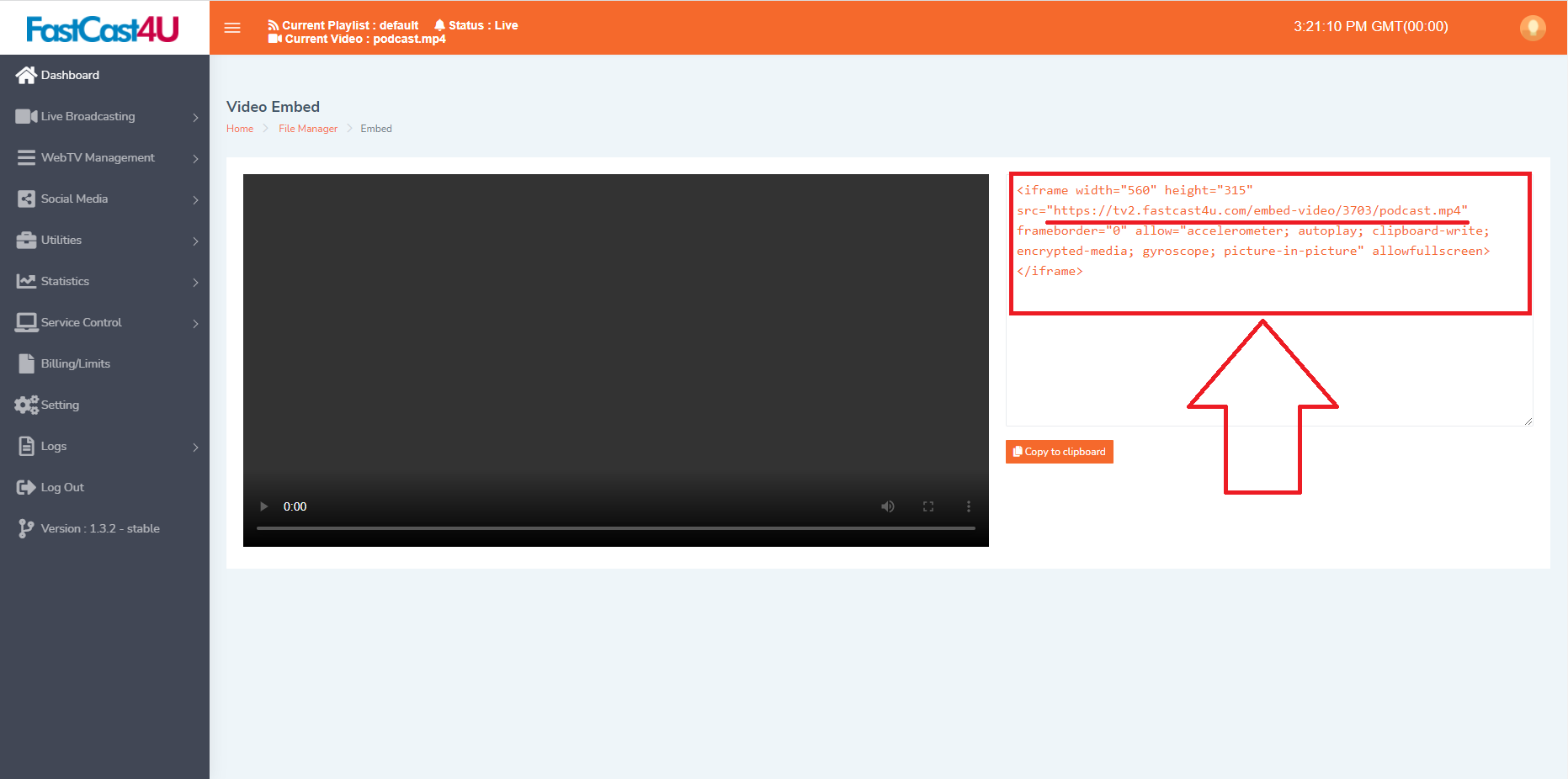
2. Once opened, copy the code for your website or the link in the brackets in order to get a direct url.

podcast2.png

  • {Video on Demand Embed Code} - {Get the embed code and URL for VIDEO on Demand}
  • 0 Benutzer fanden dies hilfreich
War diese Antwort hilfreich?

Verwandte Artikel

How to configure OBS Studio with VDO Panel {}

If you do not have all required software yet, download and install OBS Studio (Open...

How To Set Up Video Jingle {}

How To Set Up Video Jingle

How To Check Your WebTV Stats {}

How To Check Your WebTV Stats