



Remote Assistance Instructions
Allow attended access to your computer for live remote assistance
To allow attended access to your computer for live remote assistance, please follow these instructions:
1. Download RemotePC Attended on your computer (select the Windows or Mac version depending on your computer)
2. Once downloaded install the RemotePC Attended program
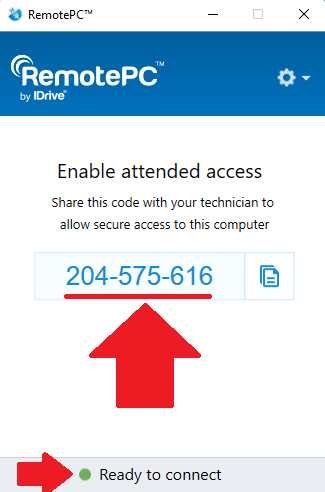
3. A 9-digit one-time session code will be generated
4. Share the code with us to allow our technician to connect to your computer
The access is one-time only and secured so we will not be able to access your computer once the session is over unless you provide us with the new code.